Yeh guide kis kaam mein madad karti hai
Restaurant ya shop ke themes compare karein, design preview dekhein aur samjhein kyun sections ya customer features har theme mein alag ho sakte hain.
Shuru karne se pehle
Dukaan ki sahi category chunein. Restaurant designs restaurants aur product-catalog designs shops ke liye hain. Existing store edit karne ke liye Edit design access chahiye. Preview apne dialog ke andar rehta hai. Open live demo aur Open full demo demo ka apna address naye tab mein kholte hain; pehle page par lautne ke liye woh tab band karein.
Yeh kahan milega
Store banate waqt Design step use karein. Existing store ke liye Experiences → apni dukaan → Visual Editor → Theme. Phone par editor ki section navigation mein Theme chunein.
Qadam ba qadam
-
Apni category ke themes dekhein. Description aur thumbnail parhein.
-
Creation mein View se poora demo kholein. Home, catalog, checkout aur order presentation available hon to scroll karke dekhein.
-
Docs mein selected theme ka guide parhein. Phone feed aur printed-menu layout content alag tarah rakhte hain.
-
Pasand ka theme select karein. Wizard mein explicit template choice starting catalog bhar sakti hai; existing store ka theme badalna presentation change hai.
-
Theme ke baad Brand & colors aur available page sections dekhein. Theme apne colors initialize kar sakta hai; apne brand values confirm karein.
-
Phone aur desktop widths par preview karein. Text, images, checkout aur navigation check karein.
-
Existing store ka design badle to Visual Editor mein Save karein. Publish unsaved design ko save nahin karta.
-
Live storefront khol kar saved preview ka design aur visible sections confirm karein.
Choices ko samjhein
-
Core catalog/navigation sections visible rehte hain. Sirf visibility control wale sections band ho sakte hain.
-
Theme apne supported fields aur sections dikhata hai. Editor mein control na hona hamesha permission error nahin.
-
Theme badalne se paid entitlement, nayi dukaan ya purane orders ki tabdeeli nahin hoti.
-
Naya store base template se independent hai. Template ki baad ki edits us mein khud nahin aateen.
Nateeja check karein
Saved storefront selected theme use karta hai aur editor us ke supported sections dikhata hai. Customer ordering store ke configured methods aur catalog ke mutabiq hoti hai.
Agar masla ho
-
Section gaib: purane aur naye themes ki feature lists compare karein aur supported section chunein.
-
Preview live se alag: Save karke success ka intezar karein, phir live dekhein.
-
Shop mein restaurant design nahin: themes category-specific hain; shop ki list se design chunein.
Screen ki misaalein
In screenshots mein example data hai. Aap ke naam, amounts aur controls alag ho sakte hain. Apni screen ki current values ko follow karein.
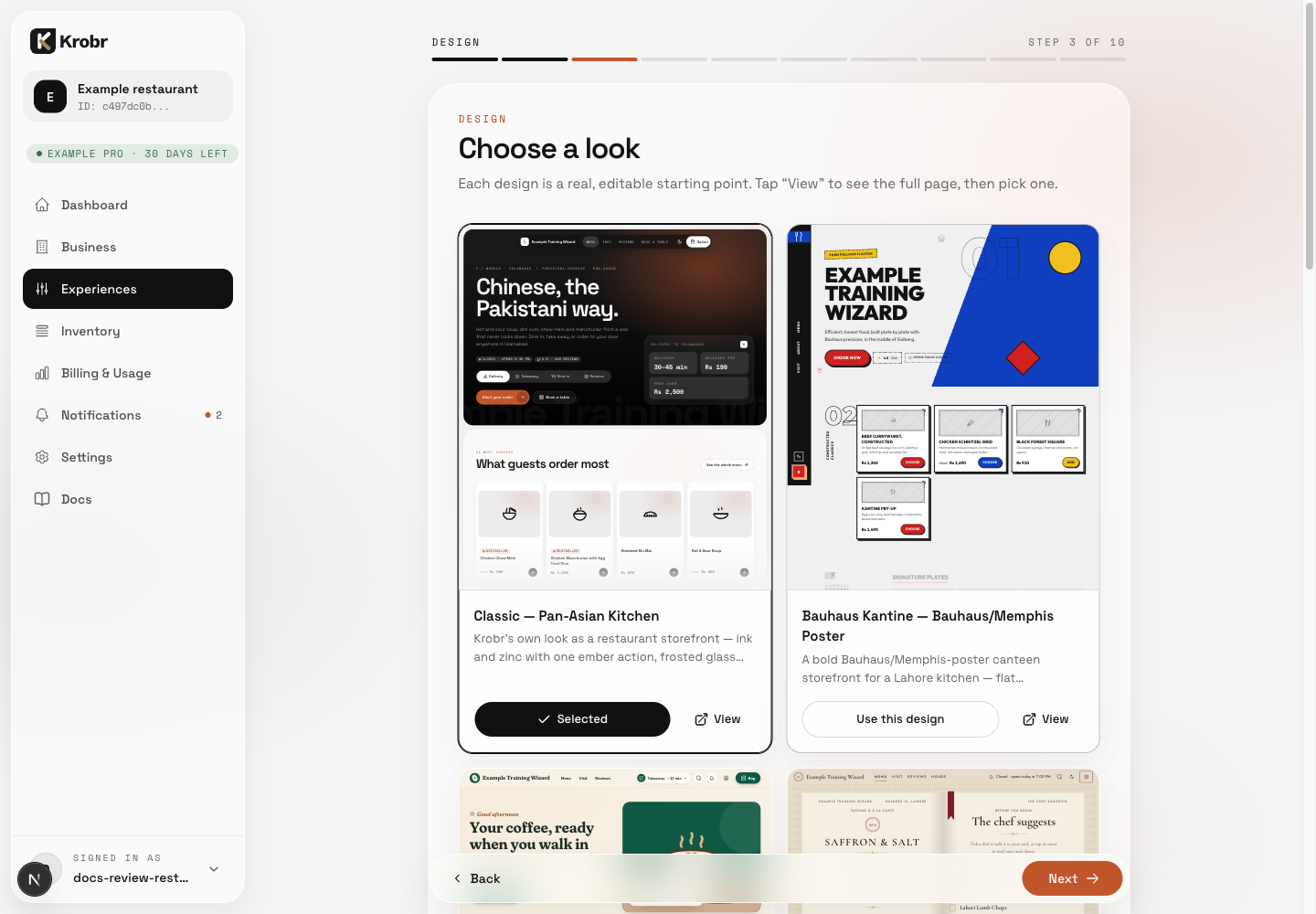
View demo kholta hai; Use this design starting template ko explicitly select karta hai.