Yeh guide kis kaam mein madad karti hai
Krobr public website par packages compare, themes preview, waitlist ya inquiry submit karein.
Shuru karne se pehle
Login ke baghair browse kar sakte hain. Applications ke liye real contact email rakhein; submission paid account ya acceptance guarantee nahin. Workspace ke Open public page aur Visit live page links asal storefront address naye tab mein kholte hain; ACTIVE custom domain ho to woh istemal hota hai. Workspace tab khula rehta hai.
Yeh kahan milega
Krobr public website kholein. Pricing, Themes aur navigation/footer links use karein; phone par site menu kholein.
Qadam ba qadam
-
Pricing mein displayed currency aur monthly/yearly period chunein. Package se pehle included features aur limits compare karein.
-
Themes mein launchable category aur theme preview chunein. Restaurant aur Product Catalog launch ho sakte hain; Travel aur Service Catalog abhi unavailable hain.
-
Shown offering ke liye waitlist form use karein. Required contact details dein aur ek martaba submit karein.
-
Support-partner ke liye affiliate application kholein, requirements aur requested contact/business info sahi dein.
-
Enterprise inquiry form mein needs aur contact details dein. Yeh inquiry hai, immediate purchase nahin.
-
Submit/signup se pehle footer ki Privacy aur Terms parhein. Product steps ke liye Docs use karein.
Choices ko samjhein
-
Pricing current public catalog se hai. Currency/period price missing ho to woh option unavailable hai.
-
Theme preview appearance dikhata hai; aap ka catalog, checkout aur package store behavior tay karte hain.
-
Waitlist, affiliate application aur Enterprise inquiry alag purposes hain. Matching form aur displayed confirmation follow karein.
Nateeja check karein
Aap displayed package/theme choices samjhein aur submitted form ki successful confirmation dekhein.
Agar masla ho
-
Travel/Service Catalog launch button nahin: categories abhi launch ke liye available nahin.
-
Form error: highlighted fields sahi kar ke ek martaba submit karein.
-
Decision nahin: confirmation inquiry record hai, approval ya commission entitlement nahin.
Screen ki misaalein
In screenshots mein example data hai. Aap ke naam, amounts aur controls alag ho sakte hain. Apni screen ki current values ko follow karein.
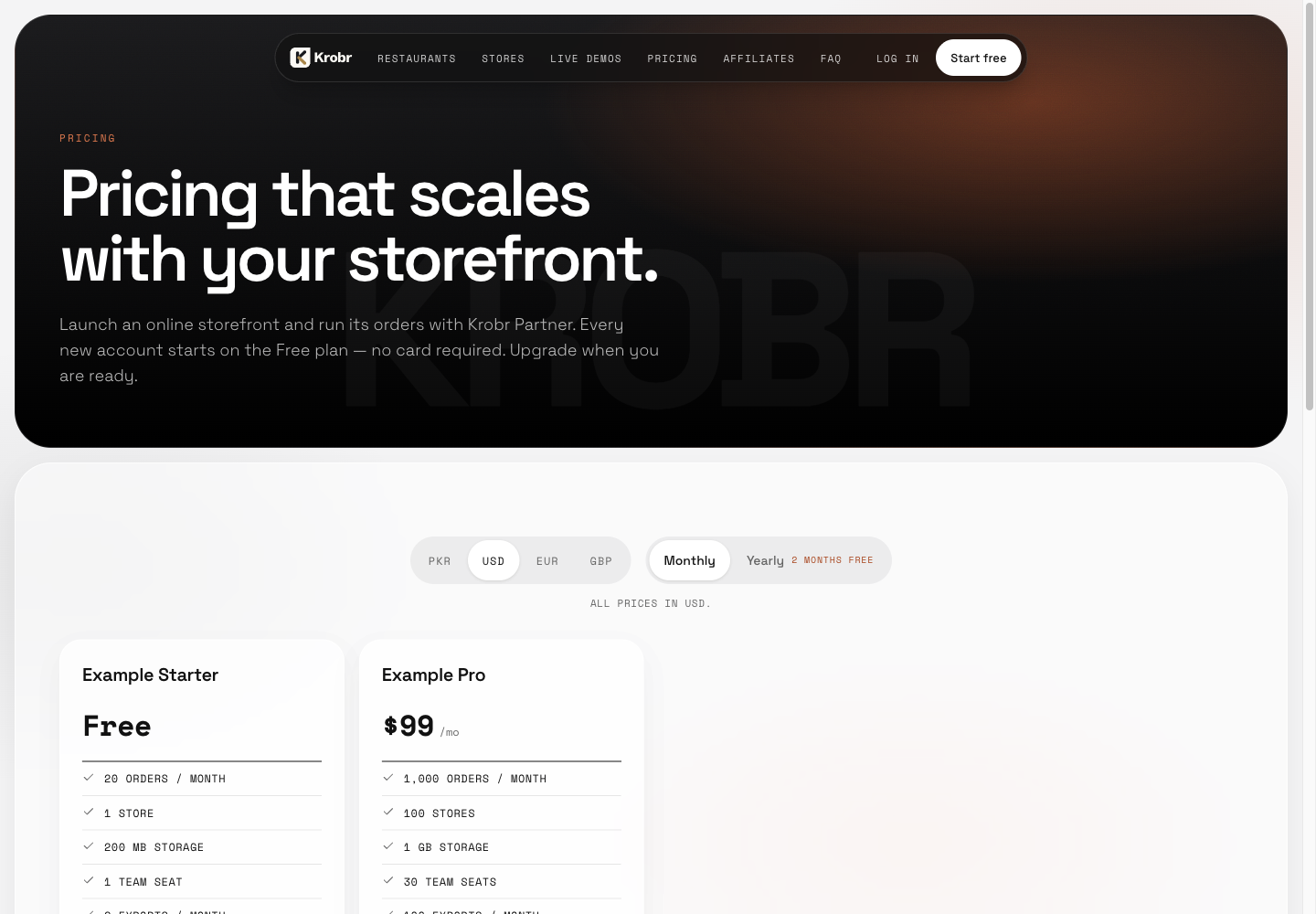
Pricing, themes aur Krobr programs dekhein: example screen mein controls dhoondein aur upar numbered instructions follow karein.